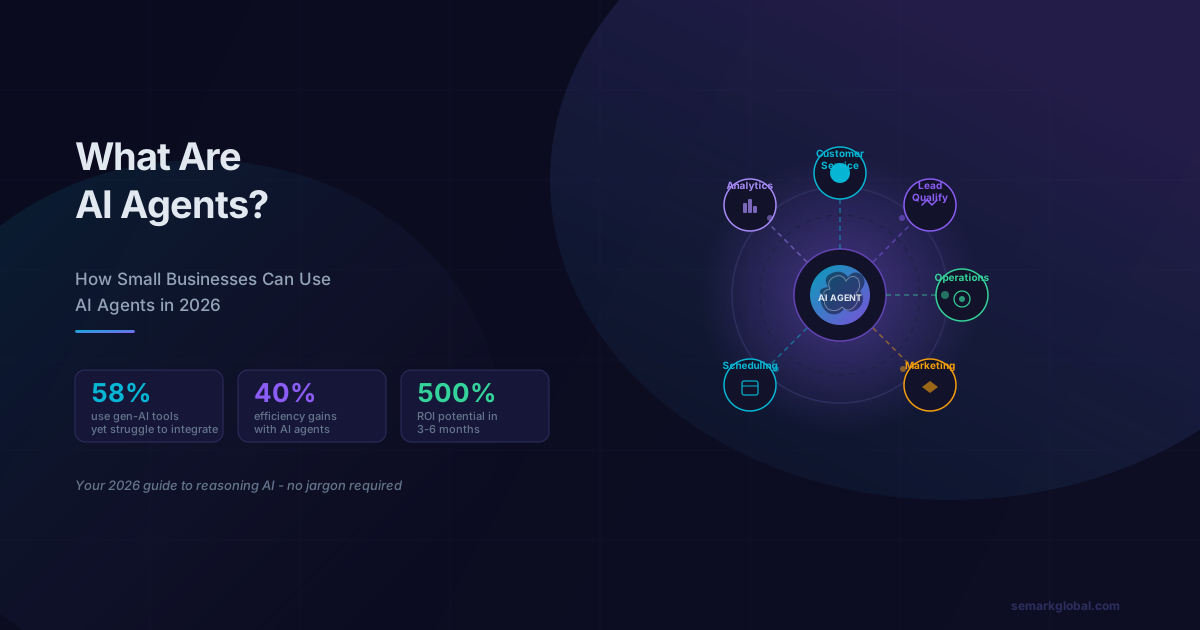
What Is an AI Agent? (Plain English, No Jargon)
An AI agent is software that can reason through a goal, make decisions, take actions, and adjust its behavior based on results - all without a human directing each step.
That definition sounds abstract, so here is a concrete comparison. A traditional chatbot follows a script: user asks question A, chatbot returns answer A. An AI agent reads the question, figures out what the user actually needs, checks your calendar, looks up your inventory, drafts a response, and - if something goes wrong - tries a different approach. It reasons. It acts. It adapts.
Think of the difference this way:
| Chatbot | Automation Workflow | AI Agent | |
|---|---|---|---|
| Follows fixed rules | Yes | Yes | No |
| Handles unexpected inputs | Rarely | No | Yes |
| Takes multi-step actions | No | Sometimes | Yes |
| Learns from context | No | No | Yes |
| Needs constant human oversight | Sometimes | Sometimes | No |
| Best analogy | Phone tree | Assembly line | Junior employee |
Why AI Agents Are the Breakout Term of 2026
You have probably noticed the phrase everywhere. Here is why it matters beyond the hype.
A March 2026 report from Goldman Sachs and Fortune found that while 58% of small businesses now use generative AI tools - ChatGPT, image generators, writing assistants - fewer than 1 in 5 successfully integrate AI in ways that meaningfully change how their business operates.
The gap is not a technology problem. It is a category problem. Small business owners adopted AI chat tools but treated them like search engines: ask a question, get an answer, move on. AI agents are different because they close the loop. They do not just answer - they act.
That gap between interest and implementation is where small businesses that move now gain a real advantage. The businesses deploying agents in 2026 are building operational efficiencies that will compound for years.
What Can AI Agents Actually Do for a Small Business?
Here are the most practical, proven applications for businesses with fewer than 50 employees.
Customer Service and Support
An AI customer service agent monitors your inbox, website chat, and social messages around the clock. It answers common questions, pulls order status from your system, processes simple requests like refunds or address changes, and escalates genuinely complex issues to a human with a full summary already written.
Real-world impact: Businesses using AI customer service agents report resolving 40-65% of inbound support volume without human involvement. That translates directly to fewer hours spent on support tickets and faster response times for customers who do reach a human.
Lead Qualification and Follow-Up
An AI lead qualification agent engages every form submission, website visitor, or inbound inquiry within seconds. It asks qualifying questions, identifies where the prospect is in their buying journey, scores the lead, routes hot leads to your sales team immediately, and nurtures cooler leads with a sequence of helpful follow-ups.
For service businesses - contractors, agencies, consultants, healthcare practices - this is transformative. The average response time for small business lead follow-up is 47 hours. An AI agent responds in under 60 seconds, dramatically improving conversion rates.
Appointment Booking and Scheduling
AI scheduling agents handle the entire booking workflow: check availability, offer options, confirm appointments, send reminders, handle cancellations and reschedules, and fill gaps in your calendar from a waitlist. Many integrate directly with Google Calendar, Outlook, and scheduling platforms like Acuity or Calendly.
Internal Operations and Reporting
AI operations agents can compile your weekly sales report from your CRM, flag inventory items below reorder thresholds, summarize the week's customer feedback, or pull together a briefing document before a client call - all automatically, on a schedule you set.
Marketing and Content Workflows
Marketing agents can monitor your social media mentions, draft responses for your review, repurpose a blog post into social captions and an email newsletter, and schedule content across platforms. They do not replace your creative judgment - they eliminate the mechanical steps surrounding it.
Considering AI agents for your business? Let's talk about the right approach for your needs.
How Much Does an AI Agent Cost?
Cost is the question every small business owner asks first, and the range is genuinely wide. Here is an honest breakdown.
Off-the-Shelf SaaS Agent Tools
| Tool Category | Example Platforms | Monthly Cost | Best For |
|---|---|---|---|
| Customer service agents | Intercom, Tidio, Drift | $29-$150/mo | Handling support volume |
| Lead qualification | Qualified, Drift, HubSpot AI | $50-$200/mo | Converting website traffic |
| Scheduling agents | Reclaim, Motion, Calendly AI | $10-$50/mo | Booking and calendar ops |
| Internal ops agents | Make.com + AI, Zapier AI | $20-$100/mo | Workflow automation |
| All-in-one platforms | Monday AI, ClickUp AI | $30-$150/mo | SMB with multiple needs |
Custom AI Agent Development
Custom agents built specifically for your business workflows cost significantly more but deliver significantly more value when your use case is complex or your competitive advantage depends on the capability.
| Development Type | Cost Range | Timeline | Best For |
|---|---|---|---|
| Simple custom agent (single task, existing APIs) | $5,000-$15,000 | 4-8 weeks | Specific workflow automation |
| Mid-complexity agent (multi-step reasoning, integrations) | $15,000-$35,000 | 8-16 weeks | Core business processes |
| Full custom agent system (multiple agents, custom training) | $35,000-$100,000+ | 3-6 months | Business-critical differentiation |
| Ongoing maintenance and optimization | $500-$3,000/mo | Ongoing | Keeping agents current |
Custom AI Agent vs. Off-the-Shelf Tool: How to Decide
The choice between building and buying depends on four factors.
Choose off-the-shelf when:
- Your use case fits a common pattern (customer service, scheduling, lead capture)
- You want to see ROI before committing significant budget
- Your team has no technical resources
- Your processes are relatively standard
- You need to be running within weeks, not months
- Your workflow is specific to your industry or model in ways no tool handles
- The agent needs to integrate deeply with proprietary systems
- Competitive advantage depends on a capability no off-the-shelf tool offers
- You have validated ROI with simpler tools and are ready to scale
- Your volume justifies the build cost (a $30,000 agent that saves $10,000/month pays for itself in 3 months)
How to Get Started Without Technical Skills
You do not need to know how to code or hire a developer to deploy your first AI agent. Here is a practical 5-step starting path.
Step 1: Pick One Problem to Solve
Do not try to automate everything at once. Identify the single highest-friction task in your business - the one that consumes the most repetitive time or creates the most customer frustration. Common candidates for small businesses: inbound inquiry response, appointment scheduling, or order status follow-up.
Step 2: Choose a No-Code Platform
Several platforms are designed for non-technical users:
- Tidio or Intercom for customer-facing chat agents
- Zapier AI or Make.com for backend workflow agents
- Reclaim.ai or Motion for scheduling and calendar intelligence
- HubSpot's AI tools if you already use HubSpot for your CRM
Step 3: Connect Your Existing Tools
The power of an AI agent comes from its integrations. Connect your email, calendar, CRM, or e-commerce platform. Most no-code platforms offer native integrations with Google Workspace, Outlook, Shopify, Squarespace, and the other tools small businesses commonly use. Plan 2-4 hours for this setup.
Step 4: Start with a Narrow Scope
Configure the agent to handle only the use case you identified in Step 1. Resist the temptation to expand immediately. A narrowly focused agent that works well is far more valuable than a broad agent that works poorly. Run it for 30 days before expanding.
Step 5: Monitor, Measure, and Iterate
Review what the agent handled, where it failed, and what customers said. Most platforms show you transcripts of agent interactions. Identify the 2-3 most common failure points and improve the agent's configuration. Do this monthly for the first quarter.
What ROI Should You Expect?
The research on AI agent ROI for small businesses is maturing rapidly. Here is what credible sources are reporting as of early 2026.
Efficiency Gains
- 40% reduction in time spent on repetitive tasks - consistent finding across multiple industry studies for businesses that successfully implement AI agents
- 65% of routine customer inquiries resolved without human involvement in businesses with well-configured customer service agents
- Response time reduction from hours to seconds for lead follow-up - the single most impactful change for service businesses
Financial Returns
- 30% reduction in operational costs for the specific processes an agent handles (not business-wide)
- 200-500% ROI within 3-6 months for well-implemented off-the-shelf agent deployments where the use case fits the tool
- Payback period of 2-4 months for SaaS agent tools when measured against the staff time they replace
Setting Realistic Expectations
These numbers represent successful implementations, not averages across all attempts. About half of small businesses that deploy AI agents see strong ROI within the first six months. The other half struggle - and almost always for the same reasons (covered in the next section).
The most reliable ROI comes from high-volume, repetitive tasks: answering the same 20 questions that account for 80% of your support volume, following up with every lead within 60 seconds, booking appointments without back-and-forth emails. These use cases are both immediately measurable and consistently valuable.
Risks and Common Mistakes to Avoid
Knowing why AI agent implementations fail is as important as knowing the opportunity.
Mistake 1: Deploying without a testing period. Agents interact directly with your customers. A poorly configured agent that gives wrong information, mishandles a complaint, or creates a frustrating experience damages your reputation. Always run a testing phase with internal staff before going live with customers.
Mistake 2: No human escalation path. Every AI agent needs a clear, fast path to a human for situations it cannot handle. Customers who cannot reach a person when they need one - especially for complaints or complex issues - become former customers. Build the escalation path before you build anything else.
Mistake 3: Treating the agent as set-and-forget. An AI agent deployed in January 2026 and never reviewed will be performing poorly by July. Customer questions change, your products and policies change, and the agent's knowledge needs to keep pace. Schedule monthly reviews as a non-negotiable.
Mistake 4: Automating a broken process. If your lead follow-up process is chaotic, automating it will accelerate the chaos. Before deploying an agent, document the process you want it to handle as it should work, not as it currently works.
Mistake 5: Starting with too broad a scope. "An AI agent that handles everything" is a recipe for a mediocre agent that handles nothing well. The businesses with the best AI agent outcomes start with one tightly defined use case, get it working well, and expand from there.
Mistake 6: Ignoring compliance and privacy requirements. If your business operates in healthcare, finance, or legal services, your AI agent interactions may be subject to HIPAA, SOC 2, GDPR, or other regulatory frameworks. Verify your platform's compliance certifications before handling sensitive customer data through any AI system.
AI Agents vs. What You Already Have
If you have been using AI tools like ChatGPT, a basic chatbot, or automation software, here is how AI agents compare.
| You Currently Use | How AI Agents Are Different | Should You Switch? |
|---|---|---|
| ChatGPT / Claude (manual) | Agents act autonomously - no human needed to initiate each task | Yes, for repetitive tasks. Keep AI chat for creative and strategic work. |
| Basic website chatbot | Agents reason, integrate with your systems, and take actions beyond scripted answers | Yes, for anything beyond simple FAQ answering |
| Zapier / Make automation | Agents handle unstructured inputs (like emails) and make judgment calls - not just trigger/action pairs | Complement - use automation for structured data flows, agents for anything requiring interpretation |
| Dedicated VA / admin staff | Agents handle the mechanical repetition, freeing staff for judgment-intensive work | Supplement, not replace. Redeploy staff to higher-value work. |
Getting Started This Week
You do not need a roadmap, a technology committee, or a six-month implementation plan. Here are the three actions that will move you from reading about AI agents to running one.
Action 1: Identify your highest-friction repetitive task. Count how many hours per week your team spends on a single type of repetitive task - answering the same inquiries, following up with leads, scheduling appointments. Pick the one where an hour of automation would save the most real time.
Action 2: Sign up for a trial on one relevant platform. Based on the task you identified, choose the appropriate tool from the list in this article. Most offer 14-30 day free trials. Spend two hours in the first week exploring the templates for your use case.
Action 3: Get a second opinion on your use case. Before committing to a platform or a custom build, talk to someone who has implemented AI agents for businesses like yours. The right approach depends heavily on your specific tools, volume, and industry.
Next Steps
AI agents are not a future technology. They are available today, affordable for small businesses at the SaaS tier, and delivering measurable ROI for the businesses that implement them thoughtfully.
The window where early adoption creates meaningful competitive advantage is open right now. The businesses that figure out how to deploy AI agents effectively in 2026 will operate at a cost structure and responsiveness level that becomes very difficult to match in 2027.
The research, the tools, and the playbook all exist. The question is whether you will be one of the fewer than 1 in 5 small businesses that successfully integrates AI - or whether you will continue using AI tools without AI agents doing work on your behalf.
Frequently Asked Questions
What is an AI agent? Software that autonomously performs multi-step tasks, makes decisions, and takes actions on your behalf.
How are AI agents different from chatbots? Chatbots answer questions. AI agents take actions — booking appointments, updating records, completing workflows.
Are AI agents safe for my business? Yes, with proper guardrails. Start with low-risk tasks and add human oversight for critical decisions.
What do AI agents cost? Usage-based pricing starts at pennies per task. Monthly platforms range from $50-$500 for small business.
When should I consider AI agents? When repetitive multi-step processes consume significant staff time and follow predictable patterns.